How to Use the GT Power B3 RC LiPo Battery Charger

How to Use the GT Power B3 RC LiPo Battery Charger
To view this blog in its original YouTube video form, click here!
The G.T. Power b3 lipo balance charger is everywhere: if a car comes with a lipo, this is likely the charger (or something very similar) that was in the box. So: here’s how to use it.
The thing that makes the B3 so easy to use is that there’s no buttons – just plug your battery in to the only port that it will fit (2s on the left, 3s on the right, making sure the connector is the right way up).
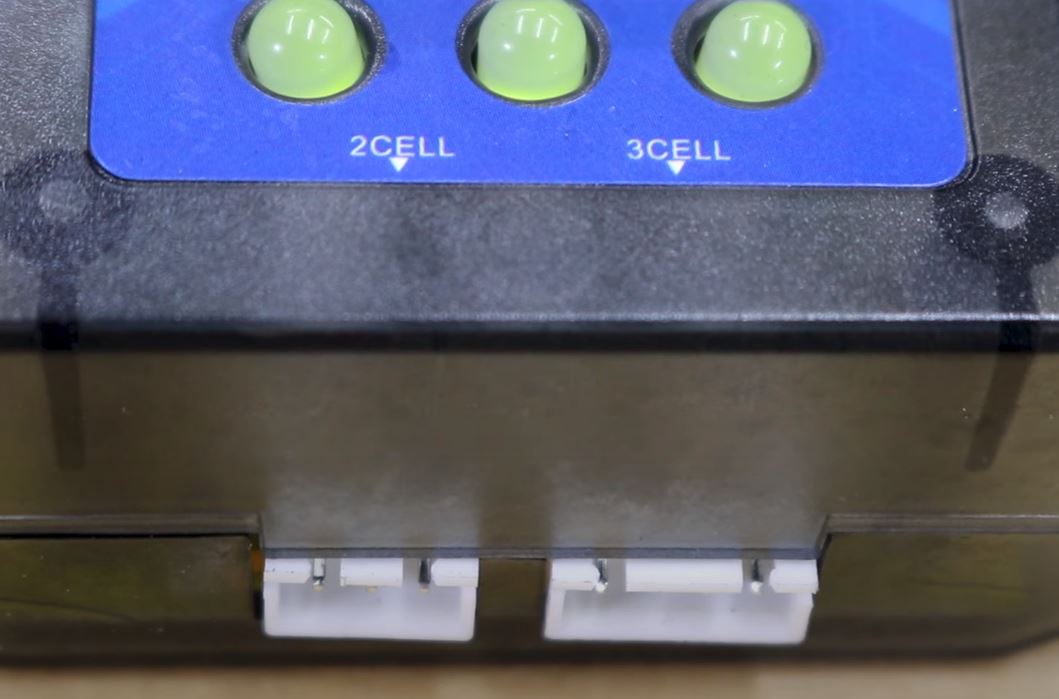
The LEDS will change to red whilst charging and when the lights are green, you’re good to go!
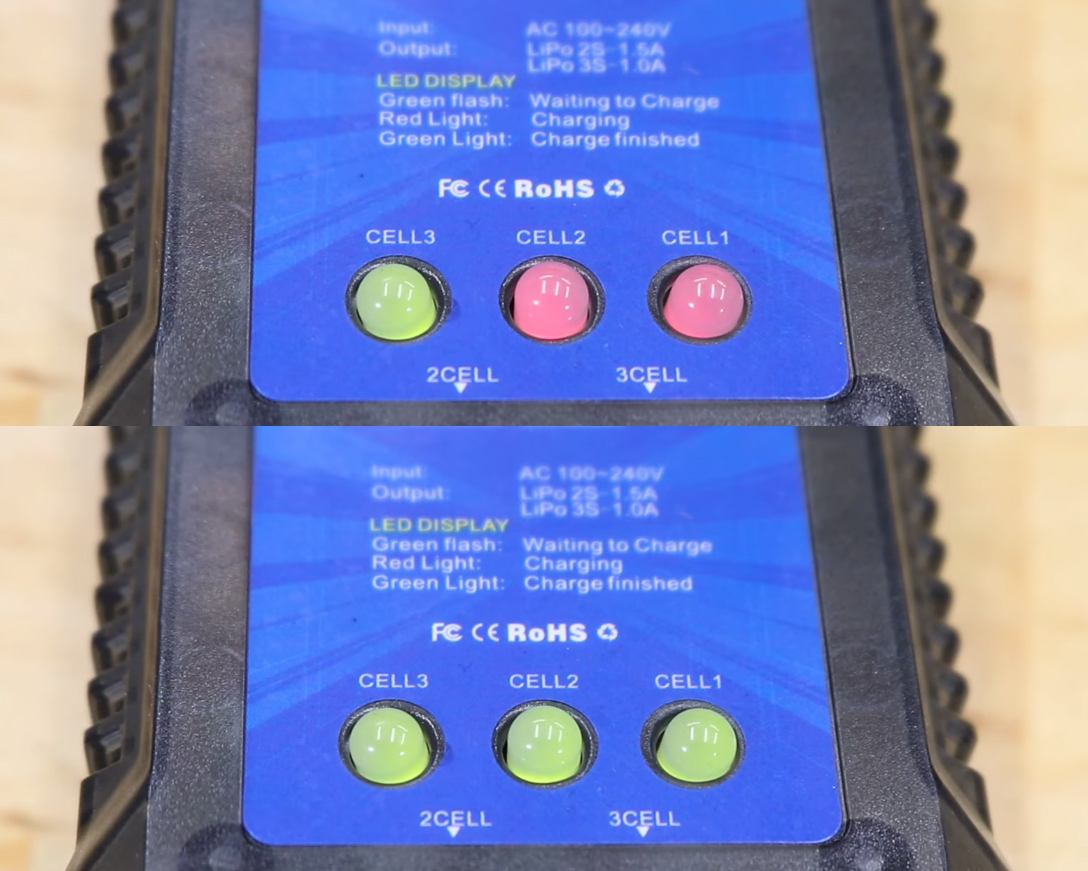
A couple of other things: there’s some info written on the charger.
- It will charge a 2s battery at 1.5 amps, and a 3s at 1 amp. But only one at a time.
- flashing green LEDS mean it’s ready to charge; red means charging, and green means charged.
- the cell indicator LEDS appear to be wired from right to left, meaning cell one is on the right, cell 2 is in the middle, and cell 3 is on the left.
- if you are only charging a 2s, 7.4v pack, there’s only 2 cells, so the cell 3 LED will stay green because there’s nothing plugged into it. You can cover it up, or just ignore it.
- if you plug your battery in and the LEDs just keep flashing, it’s likely that the pack’s voltage is too low for the charger safely work. Contact your local hobby shop as they might be able to help.
Lastly, 2 tips:
When your battery is charged, unplug it from the charger. Don’t leave the battery plugged into the charger after the charging process is finished, and especially don’t leave it plugged in to the charger if you’ve unplugged the charger from the wall. The circuit is still connected, and this can drain the battery completely flat, causing irreparable damage.
The B3 can’t storage charge lipos. But! If you don’t plan to run your car for a while, don’t leave batteries flat because lipos hate that. If the mighty b3 is your only charger, just stick your battery back on charge for about half an hour to an hour to top it up. This won’t perfectly balance the cells because the b3 doesn’t have a proper storage mode function (you’d need a proper smart charger for that), but it’s better than leaving them flat.
That’s it – an easy video for an easy charger. Thanks so much for reading, bye!
Aaron
Content Creator & Marketing Coordinator · Hobbies Direct


Choosing the right battery charger is very important and can be the difference between safely charging your battery, and catching your shed on fire.
Maybe you’ve upgraded to a new radio, maybe you plugged something in where you weren’t supposed to, or maybe your car likes to pretend it’s a submarine and spend more time underwater than it does o...
Being a good RC driver doesn’t involve any special tricks, just reaction time and some finesse on the controls. Proper throttle use can be the difference between a particularly sweet drift and a pa...
The steering servo in your RC car is the electric motor that moves the steering side to side. In the same way that you need good gear mesh and throttle calibration to go fast in a straight line, yo...
How to use the GT Power n802d NiMH battery charger . To watching this Blog in its original YouTube video form, click here . The G.T. Power n802d NiMH battery charger is everywhere: In fact, if you’...

Modern smart chargers take the guesswork out of powering up your fleet. Whether you're running a basher, a crawler, or a high-speed track weapon, a good smart charger will handle pretty much any ba...